Performance-Heavy Admin Dashboard
High-performance admin dashboard built to handle massive datasets, real-time metrics, and secure role-based access.
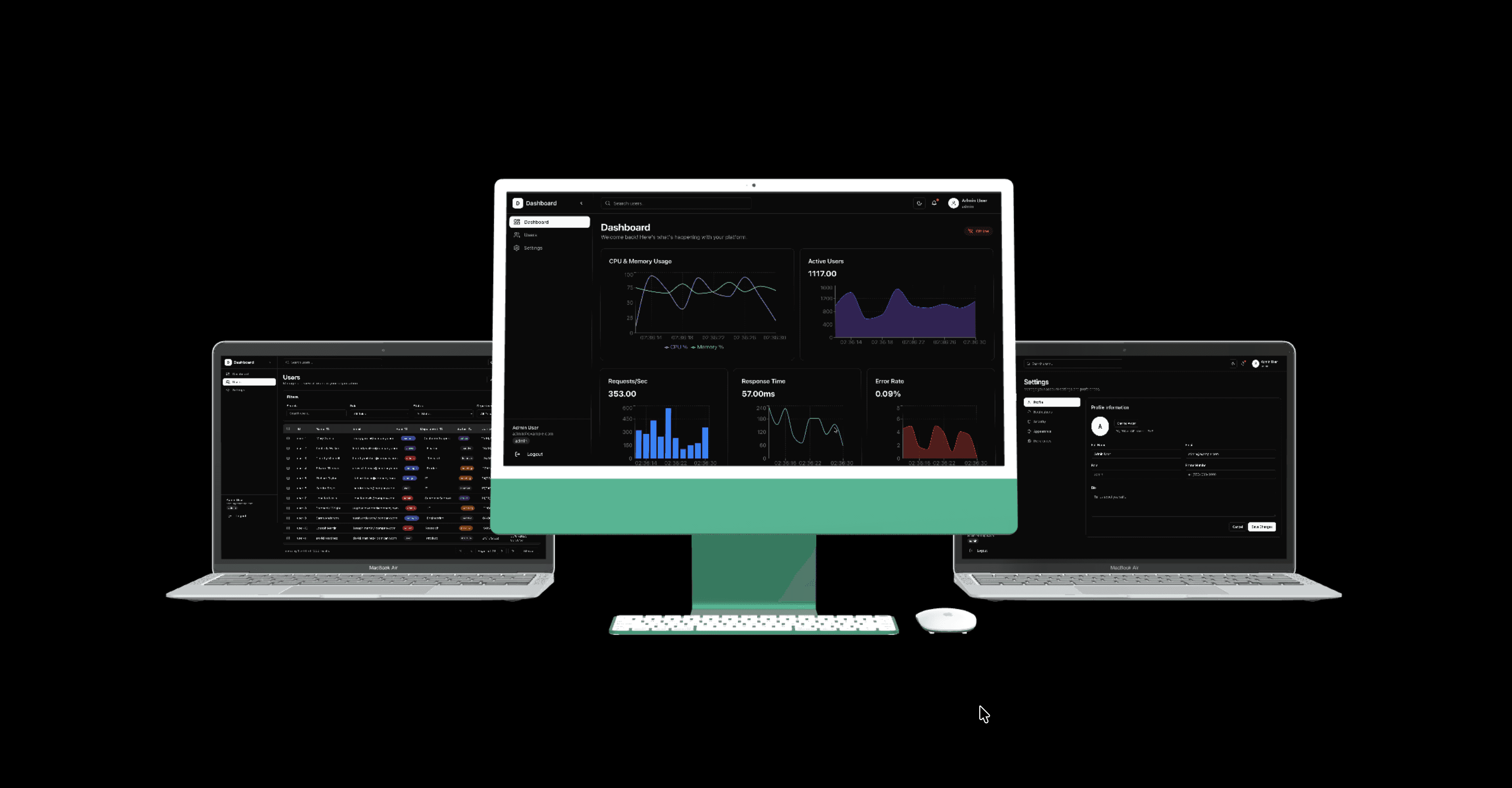
Overview & Background
This project is a fully performance-optimized admin dashboard designed to manage large-scale data in real time. It features a virtualized table capable of rendering 10,000+ rows without lag, advanced server-side filtering, real-time metric updates via WebSockets, and secure role-based access. Developed using Next.js App Router, the dashboard focuses on speed, scalability, and clean architecture.
Slow dashboards struggle with large datasets, DOM thrashing, and real-time streaming updates.
Virtualized tables, WebSocket metrics, and server-side data pagination pipelines.
Smooth 60FPS scrolling with 10,000+ rows, zero lag, and robust role-based access control.
The Challenge & Bottlenecks
Modern analytics and administrative dashboards face severe client-side bottlenecks:
Handling 10,000+ rows without browser memory leaks or frame rate drops.
Maintaining smooth 60FPS UI scrolling during high-frequency data streams.
Providing real-time metric updates without causing full component re-render cascades.
Implementing secure, scalable access control without introducing auth check latency.
Engineering Focus:This project addresses all of these challenges head-on with a performance-first virtualization approach.
Project Goals & Requirements
Clear functional criteria and architectural targets established for this build.
Core Deliverables
Render 10,000+ rows without UI lag using windowed virtualization.
Provide real-time metric updates via persistent WebSockets.
Implement secure role-based access control (RBAC) with JWTs.
Ensure smooth client-side filtering, multi-column sorting, and pagination.
Technical Constraints
Consistent 60 FPS scroll performance across desktop and mobile
Minimal JS bundle footprint with dynamic component code splitting
Accessible keyboard navigation and WCAG AA contrast standards
Sub-50ms search debounce and instant filter response
Key Features & Technical Breakdown
Core modules engineered to deliver speed, reliability, and security.
Ultra-Fast Virtualized Table
Implemented using TanStack Table with windowed DOM rendering. Seamlessly renders 10k+ rows with sticky headers, custom column resizing, multi-row selection, and zero browser lag.
Real-Time WebSocket Metrics
Live CPU usage, request throughput, and active user counters streamed over WebSockets and visualized with lightweight canvas charts.
Role-Based Access Control
JWT authentication with server-side middleware enforcing granular permissions for protected routes and administrative widgets.
Skeleton & Shimmer Loading
Custom shimmer table rows and layout-level skeletons designed to eliminate layout shifts (CLS) during asynchronous data fetches.
System Architecture
The application follows a modular frontend architecture with clear separation between UI components, state management, and data access layers. Zustand manages client state while Next.js API routes handle data operations and WebSocket connections.
Performance & Optimizations
Strategies applied to maximize rendering throughput, response speed, and runtime efficiency.
Windowed DOM rendering with React Virtual to keep node count low
Memoized cell renderers and cached column definitions
Debounced search and filter inputs with state batching
Dynamic imports for charting libraries to optimize initial chunk size
Server-side pagination and cached API responses
Key Architectural Takeaways
Insights and lessons gained from building and testing this system in production environments.
Designing for performance is a holistic concern spanning rendering architecture, API protocols, and state boundaries.
Zustand is optimal for high-frequency telemetry updates because it avoids React Context re-render waterfalls.
Real-time streaming dashboards require requestAnimationFrame batching to avoid overwhelming the browser event loop.
Ready to explore the codebase?
Dive into the production source code to review the architecture, or check out the live demo to experience the interactive features firsthand.